


Website design
Bilingual websites that load fast on phones and make it easy to call.
Website design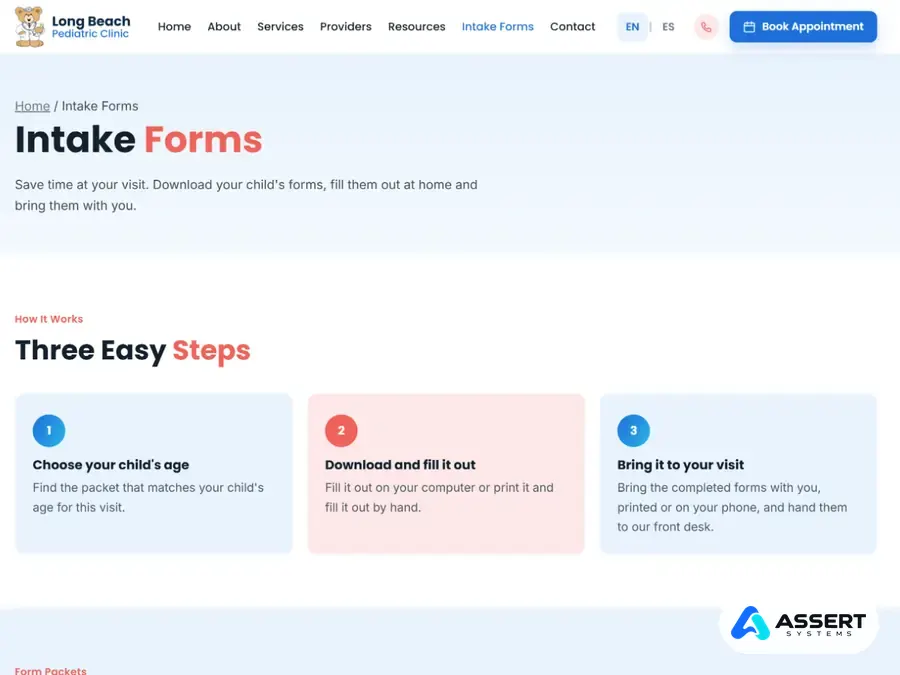
Case study · Healthcare website
Long Beach Pediatric Clinic cares for children from newborn to age 20, and many of its families speak Spanish. We built the clinic a new website in English and Spanish, rebuilt every intake form packet, added an appointment request form that sends each request straight into the clinic's own Microsoft 365, and set up the SEO so parents in Long Beach can find the clinic on Google.
At a glance
Shared with the clinic's permission.
We also upgraded this clinic's network, WiFi and cameras: see that case study
The goal
Parents call, fill out forms and ask questions in two languages. The clinic wanted the website to take some of that work off the front desk, without putting patient information at risk.
The website
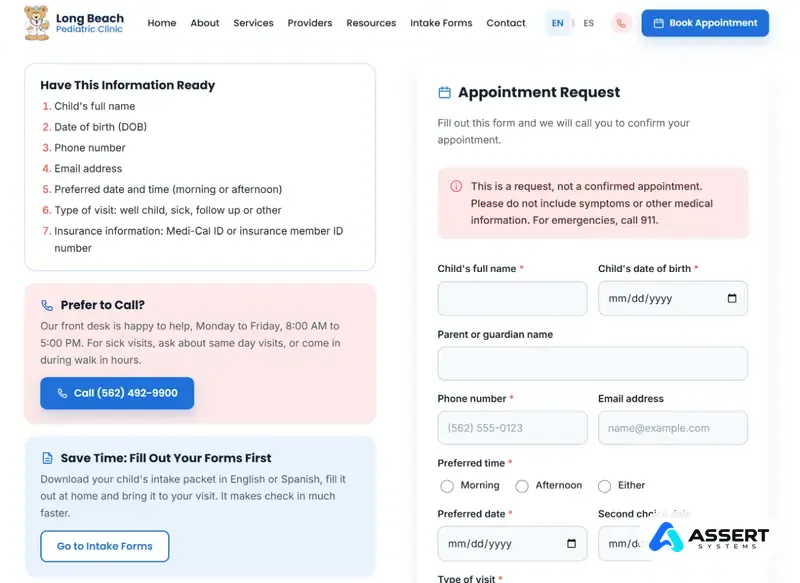
Every page has an English and a Spanish version, and the language switch at the top opens the same page in the other language. The site covers the clinic's services, providers, insurance plans, resources for parents, the ECM program, intake forms, appointment requests and contact details.
The legal pages patients expect from a medical office are there too, in both languages: privacy, a HIPAA privacy notice, terms of use, accessibility and nondiscrimination.
Intake forms
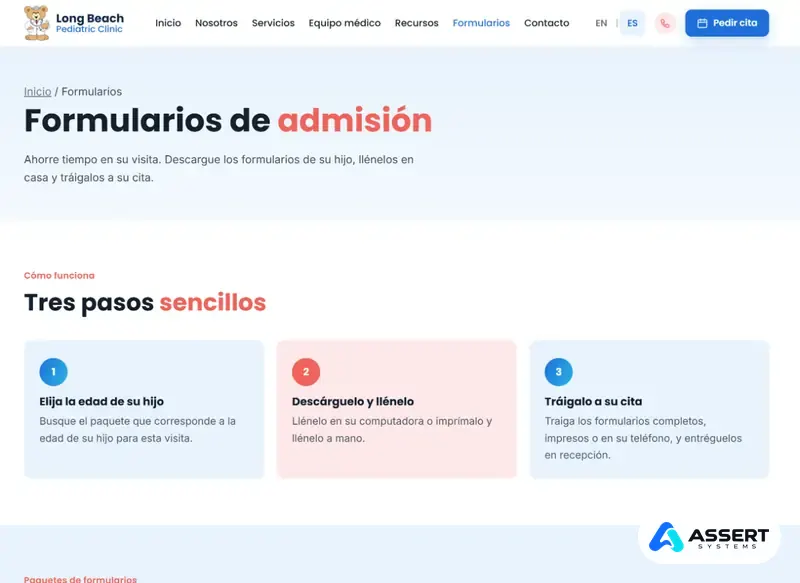
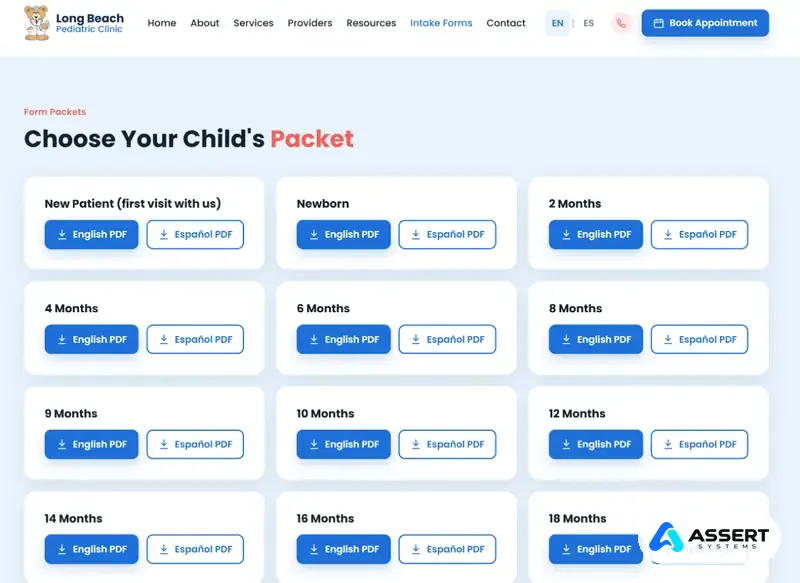
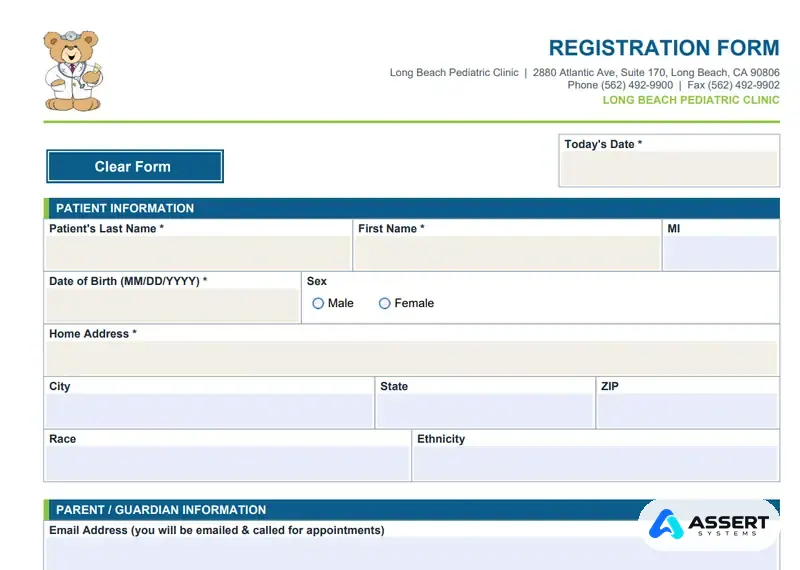
Instead of filling out forms on a clipboard in the waiting room, parents download the packet for their child's age, fill it out at home and bring it to the visit.
Appointment requests
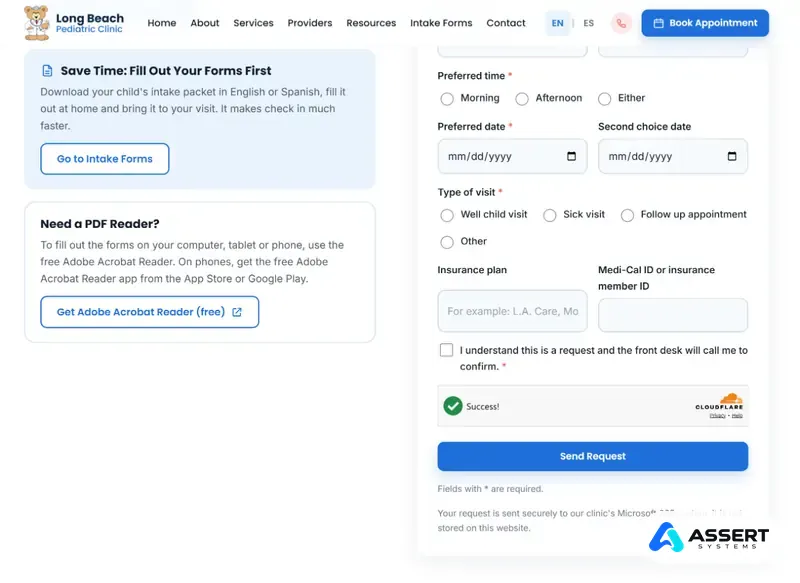
Parents send a request from their phone, and the front desk calls back to confirm. This is what happens after they press Send.
The child's name and date of birth, a phone number, two preferred dates, morning or afternoon, the type of visit and insurance. The form asks parents not to include symptoms.
Cloudflare Turnstile and a hidden trap field stop spam bots, usually with no puzzle for real parents.
The website asks Microsoft 365 for an upload link made for this one request. No patient details are sent in this step.
The parent's browser sends the request directly into the clinic's private SharePoint site, encrypted the whole way. The web server keeps no copy.
Staff see the new request in Microsoft 365 and call the family to confirm a time.
Safety
A website is the first place an attacker looks. So the rule was simple: the website passes requests along to Microsoft 365, and never keeps them.
These are HIPAA technical safeguards. Compliance stays the clinic's responsibility: we put the safeguards in place and help with the documentation.
Microsoft 365
The clinic's email already ran on Microsoft 365, so we connected the website to it instead of adding another system. A private SharePoint site holds the requests, and the front desk works from a shared mailbox, so no request gets lost in a personal inbox.
Staff have no new software to learn: they use the Outlook and SharePoint they already know. Access is managed with the clinic's own Microsoft 365 accounts, so when someone leaves the clinic, their access ends with their account.
Next phase
Next, parents will be able to fill out the intake packet on the website itself, on a phone or a computer, and sign it there. It uses the same safe path as the appointment form.
The parent picks the child's age and fills out the packet online, in English or Spanish.
The parent signs by typing their full name and checking a box to agree.
The answers become a locked PDF that cannot be changed.
The PDF goes straight into the clinic's SharePoint, in a folder by date and patient. Nothing is kept on the website.
The front desk adds the PDF to the patient's chart, and the SharePoint copy is deleted automatically after a set time.
This phase is planned. We will update this page when it goes live.
SEO
A clinic website only helps if parents find it, so search was built in from the start, in both languages.
Questions
Yes. We rebuild your own forms as clean print versions and fillable PDFs, in English, Spanish or Farsi, and we can set up online forms that save straight into your Microsoft 365. We look at your forms first and give you a written quote.
No. The website only asks Microsoft 365 for a one time upload link. The request goes from the parent's browser straight into the clinic's own SharePoint, and the web server keeps no copy.
The forms connect to Microsoft 365. If your clinic does not have it yet, we can set it up together with your email, MFA and secure file storage.
It covers the technical side of these forms: patient information stays off the web server, the connection is encrypted and access goes through your own Microsoft 365 accounts. Compliance stays your clinic's responsibility, and we help with the documentation. Ask us about a Business Associate Agreement (BAA).
Orange County & Los Angeles
We build bilingual websites, intake forms and safe appointment requests for medical and dental offices in Orange County and Los Angeles. Call for a price.
(949) 244-7672 info@assertsystems.comبه زبان فارسی هم در خدمت شما هستیم